Monday, September 23, 2013

Turning off Bing Search History in the "Cloud"

Bing Search is now tracking your search history online (like Google).
To turn off Bing Search History in the Cloud, login and click on preference wheel, and then click History. Choose the Turn off button. Clear all to erase you history.

Tuesday, September 3, 2013

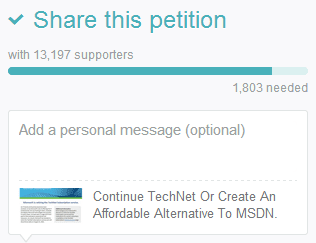
Save TechNet Or Create An Affordable Alternative To MSDN Petition

Techies, this is outrage for the Microsoft Developer Community that is trying to learn new software and promote Microsoft software use. How backwards is this. Bad move if developers cannot learn to use at a expert level and develop your software in a meaningful way. Free evaluations for 90-day or 180-days is a royal pain, considering you need 4 virtual servers to mimic SharePoint to run in a enterprise setting, this is huge effort to build out for it then to be blown away.

Please sign the following petition to save Technet so we developers have access to affordable Microsoft Technologies.

https://www.change.org/petitions/continue-technet-or-create-an-affordable-alternative-to-msdn

13,197 Supporters so far to Save Technet


PS. Still have access to Technet and want to queue downloading the entire library ?

Microsoft
® File Transfer Manager 

How do I determine if I already have a current version of FTM on my computer?
    Try to launch the FTM client that may exist on your computer. Following are the ways in which you can launch FTM:
    • Check if you have a desktop shortcut for FTM. If yes, you can click it to launch.
    • Check if you have FTM in your start menu. If yes, you can click it to launch.
    • If you are using Internet Explorer, you may already have FTM installed on your machine automatically from your earlier visits to a Microsoft Program's web site. Follow the below steps to verify this and launch:
      • Open a command window (Start, Run and type cmd or command depending on version of Windows)
      • Change Directory to %SystemRoot%\Downloaded Program Files\
      • Type TransferMgr.exe <enter>

      Once launched, you can check the version of FTM by viewing the control menu from upper left corner of the window and selecting the "About" option.

What is alternative now? 

Thursday, August 15, 2013

Where is the Windows 7 or Vista "Send To" Menu

Customize the Windows 7 or Vista Send To Menu

You’ve seen the SendTo folder in action any time you right-click a file and select the
"Send To" folder from the context menu. What you might be unaware of is that you
can customize the items in this menu.
Go ahead, right click a file. You should see something that looks like this:
To get to the SendTo folder, you’ll need to open up an Explorer window, and then paste in the following to the address bar.
%APPDATA%\Microsoft\Windows\SendTo
%APPDATA% is an environment variable that actually maps to something like C:\users\\AppData\Roaming.
You should now see a bunch of shortcuts:
Let’s say you wanted to add an item to the Send To menu to open files in Notepad. You could just drag a shortcut to Notepad into this folder, or create a new shortcut. Now you can see the new Notepad item in the menu:
This method should work for any application that allows you to open a file by using a command line argument.